
If you’re looking for the best AI prompt hack for beginners, you’ve come to the right place. This simple yet powerful trick will help you write pro-level prompts easily and effortlessly, even if you have no prior experience with AI or prompt engineering. To write the correct prompt for your desired result. I will share my personal trick for writing an effective prompt like a pro. Even if you’re a beginner, you can write and achieve results effectively.
Why This AI Prompt Hack for Beginners Works
As we all know, writing up a prompt requires basic knowledge of prompt engineering. But in this, you need no prior knowledge of it; all you need to do is access any free AI tool. For this, I’d love to suggest using ChatGPT for which I think is the best tool ever that can respond to you in a proper way.
Step-by-Step Guide to the AI Prompt Hack for Beginners
Using ChatGPT for Your AI Prompt Hack for Beginners
All you need is to write a prompt in ChatGPT asking what you need, as you can relate, and later on, after completing your query under “(Your required query)”. For example you need a prompt for generating an image in Gemini Flash 2.5 you can Chat GPT ” I want you to write a prompt for generating an image of a person sitting in a lake full of lilies and the sun is setting behind the mountain Which should be dramatically red The image should look natural and realistic and well composed photograph the should be sitting on the wooden boat.” As you can see, this prompt is not well written, and you’re asking the Chat GPT to organise your thought in better way as prompt.
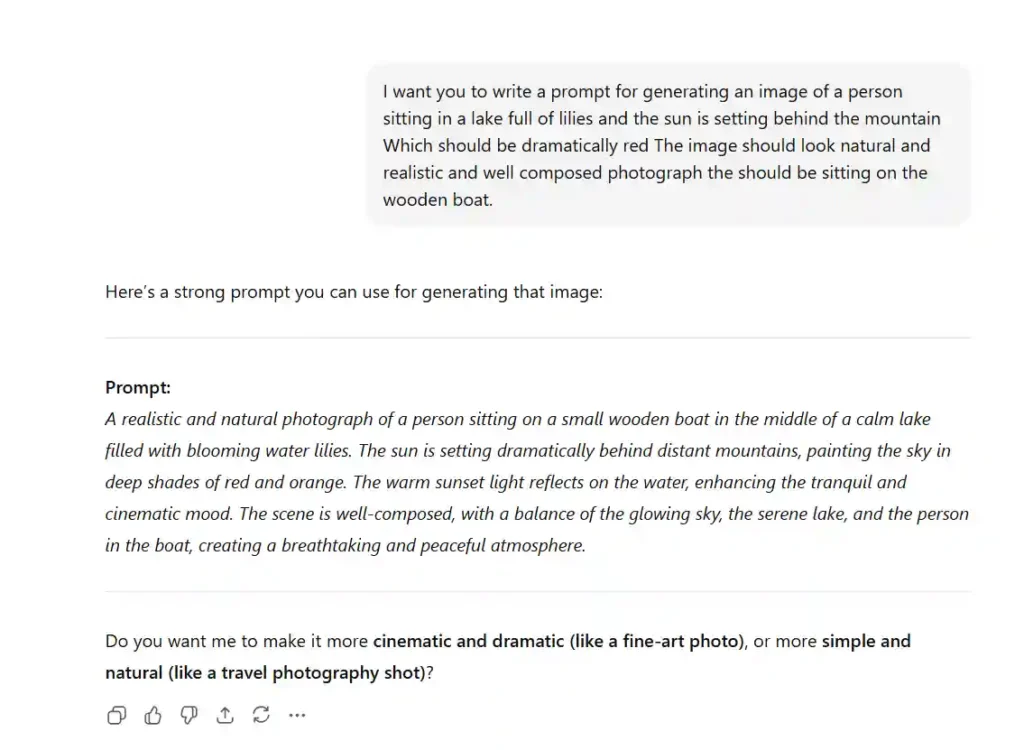
Generating Image with GEMINI Flash 2.5
As of present, I find myself using Gemini Flash 2.5, a Google artificial intelligence product well qualified for generating images for free. I would suggest you if you are trying to generate images for free and for unlimited purposes, you can use this Gemini Flash 2.5, which is of great use and can generate images unlimitedly. Here is the output how Gemini generated the image with the prompt Chat GPT has reorganised for me. Remember Gemini Flash 2.5 always generate images in a square format ratio. So before generating an image you need to mention the expect ratio of your image you need.
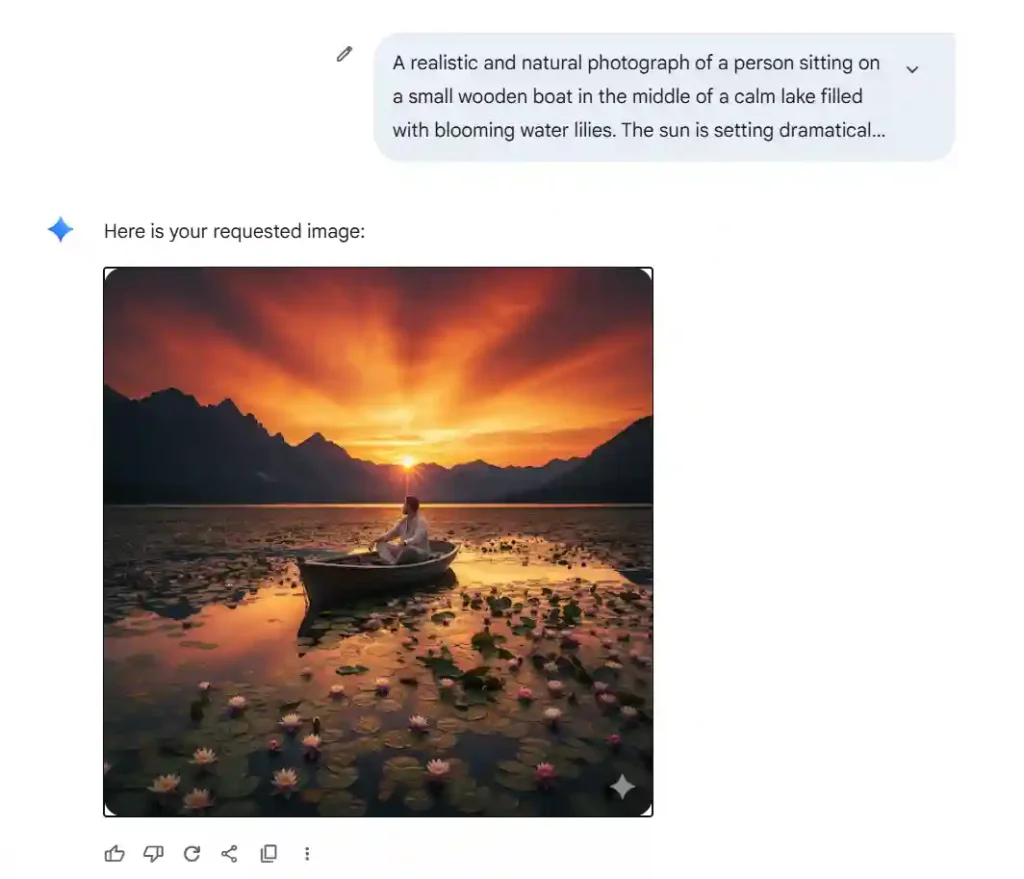
The Final Output of the Image
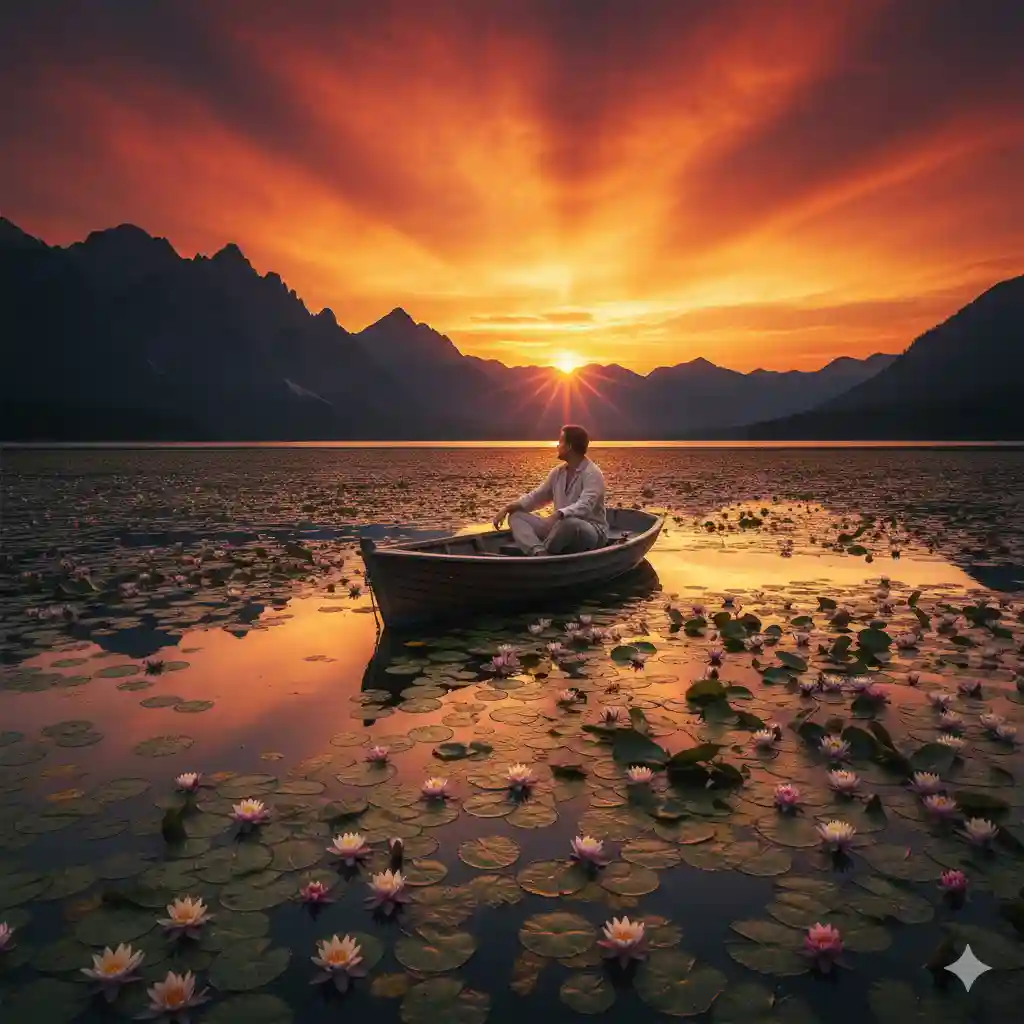
As you can see from the above picture generated by Gemini Flash 2.5, the image is generated in a square format, as I have not asked for a ratio-oriented image to generate. Now, I would show you the output of how the image looks with the proper resolution.
A genuinely useful read.
Thank you for your feedback glad you like it.