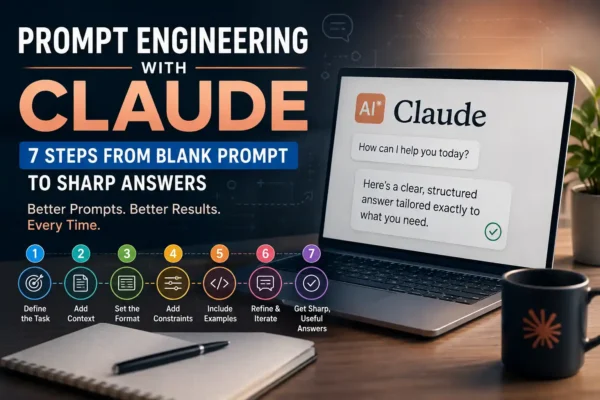

Here’s an AI prompt examples almost everyone recognizes: you ask a simple question, you get back three paragraphs of nothing in particular, and you close the tab convinced the tool is overhyped. I’ve been there. What changed things for me wasn’t a better model, it was realizing I’d been asking AI the same way I’d ask a search engine, and AI doesn’t work like a search engine.
A prompt is the instruction you give the model, and the model can only work with what’s actually in that instruction. Type something vague, get something vague back. This guide breaks down five habits, call them golden rules if you want, that consistently make the difference between an answer you throw away and one you actually use.
What Actually Makes a Prompt “Good”?
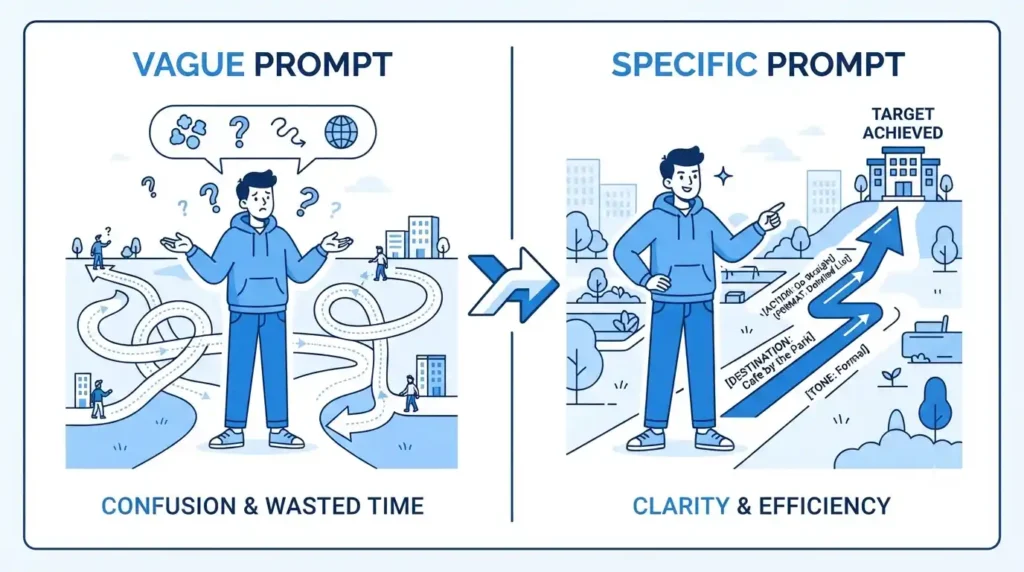
Prompt engineering is a term that gets thrown around like it requires a certification. It doesn’t. It just means writing instructions an AI model can follow well, the same skill you’d use explaining a task to a new hire on their first day.
Picture handing someone directions instead. “Head downtown” might get a person somewhere in the general area, eventually. “Go to 42 Elm Street, the brick building next to the coffee shop, and use the side door since the front’s blocked off for construction” gets them there without a single wrong turn. Models respond to that same kind of precision. They’re not being stubborn when an answer misses the mark, they just didn’t have enough to go on.
Why Prompts Fail More Often Than People Think
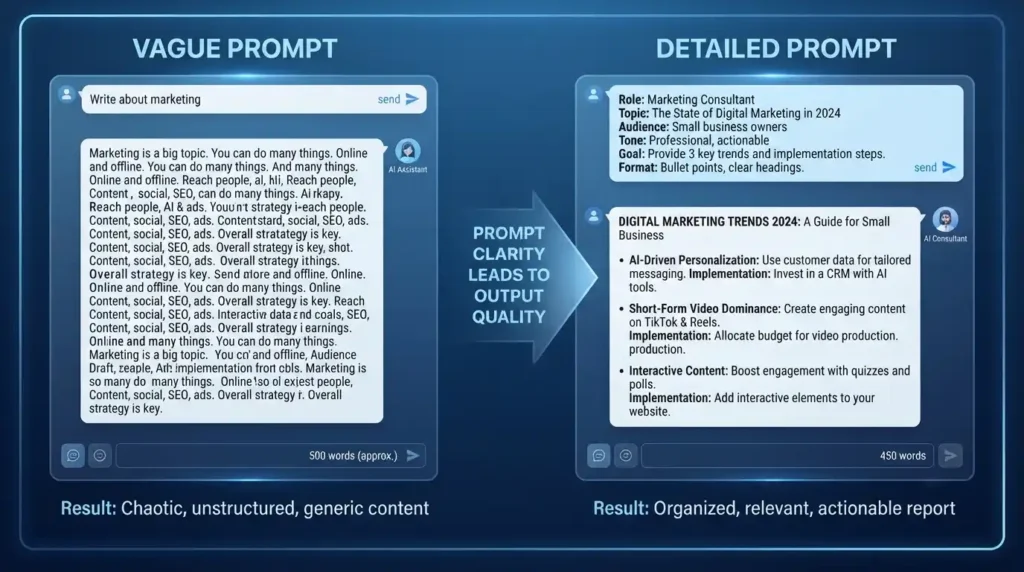
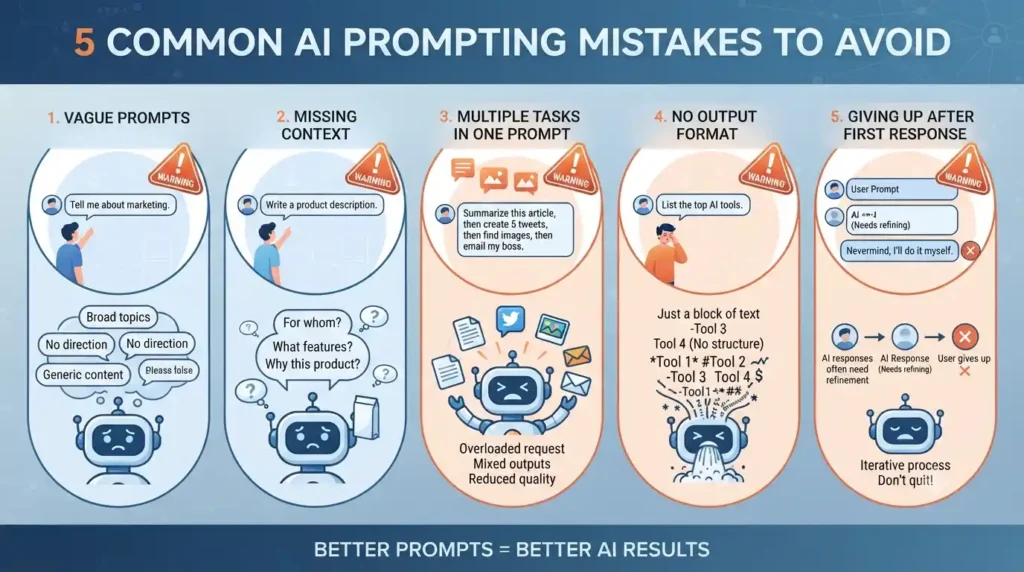
Three things tend to sink a prompt: it’s too vague, it skips context the model would need, or it never says what a strong answer even looks like. None of that is really the AI’s fault. It’s answering the question you actually asked, not the one you meant to ask.
Take something as ordinary as “write a blog post about marketing.” The AI has no idea who’s reading it, how long it should run, or what you want the reader to do afterward. Add a sentence or two, something like a 600-word post for small business owners on running a $50 Facebook ad, casual tone, wrapping up with three action steps, and the model suddenly has a real target instead of a vague direction.
The 5 Golden Rules of Effective Prompting
Once these become second nature, prompt writing stops feeling like trial and error and starts feeling like a checklist you can run through in your head.
Rule 1: Say Exactly What You Want
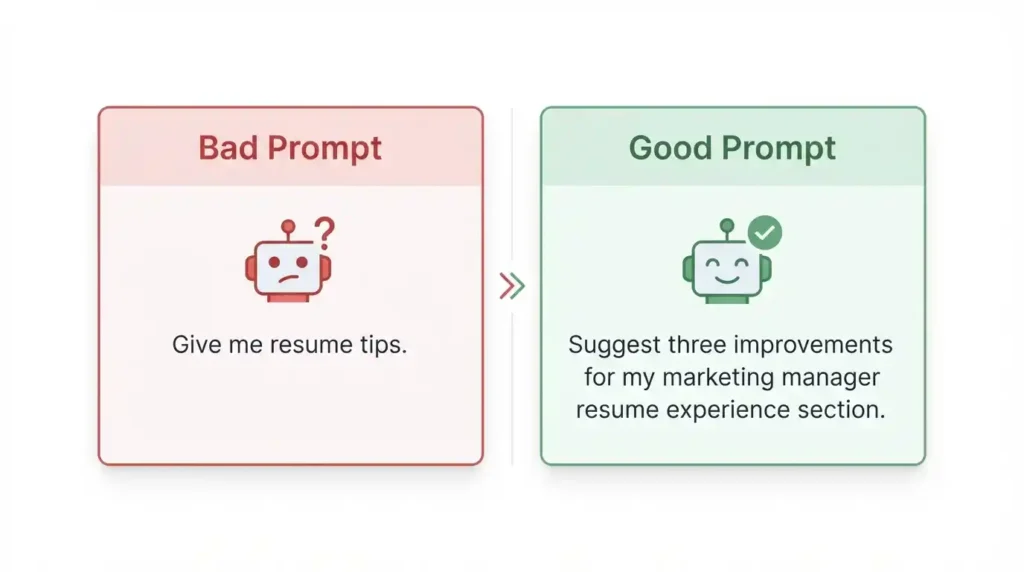
This is the one that fixes the most prompts, and it’s also the one people skip because it feels almost too obvious to mention. “Give me some tips for my resume” invites a generic list you’ve probably already read a dozen times. Ask instead for three specific changes to strengthen your experience section for a marketing manager role, and the model actually has to engage with what you gave it instead of reciting boilerplate advice.
I’ve found that one extra sentence of detail usually beats any clever trick or workaround people swear by.
Rule 2: Hand Over the Context You’re Sitting On
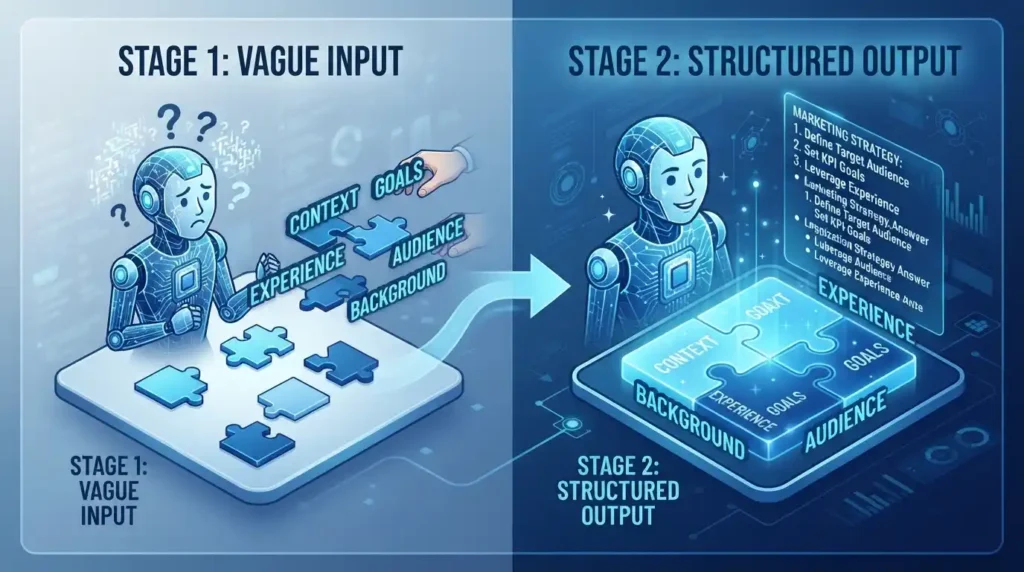
Context is everything the model doesn’t already know about your situation. Leave it out, and you’re basically asking a stranger for advice on nothing but the bare question.
“Should I switch careers” isn’t really answerable on its own. But say you’re a nurse with eight years in, weighing a move into healthcare tech because you want more remote work and better pay without losing your clinical skills, and now there’s something to respond to. Same question, a completely different answer, because the model finally knows what it’s working with.
Rule 3: Show It What You Mean Instead of Describing It
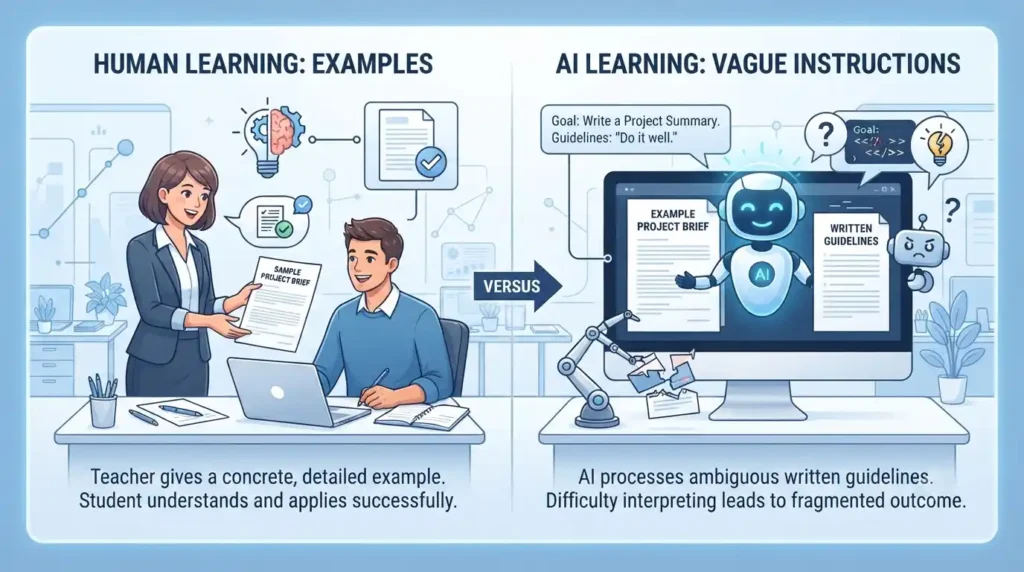
There’s a name for this, few-shot prompting, but the idea is old news to anyone who’s ever handed a new employee a sample instead of a style guide. Models are good at spotting a pattern once you show them one, often better than they are at following a paragraph of description.
Telling an AI to “write product descriptions in our brand voice” leaves it guessing at what that voice even sounds like. Paste in one line you already love, something like “soft enough for daily wear, tough enough for daily life,” and ask it to match that rhythm for the next few products. It’ll land a lot closer than a vague style note ever would.
Rule 4: Decide the Shape of the Answer Before You Ask
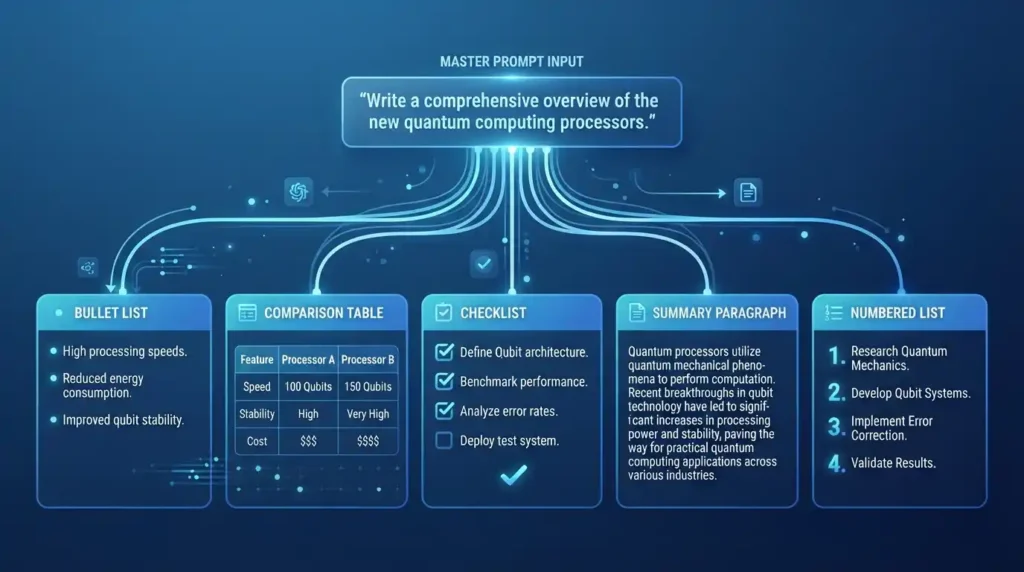
Left alone, a model will guess at formatting, and that guess is wrong about as often as it’s right. Do you want a table, five bullet points, one tight paragraph? Decide that before you hit enter instead of getting annoyed after the fact.
“Summarize this report” could come back as almost anything. “Summarize this in five bullet points, each under 20 words, most important finding first” can’t really go wrong, because you’ve already made the decisions the model would otherwise have made for you.
Rule 5: Expect to Rewrite It Once, Maybe Twice
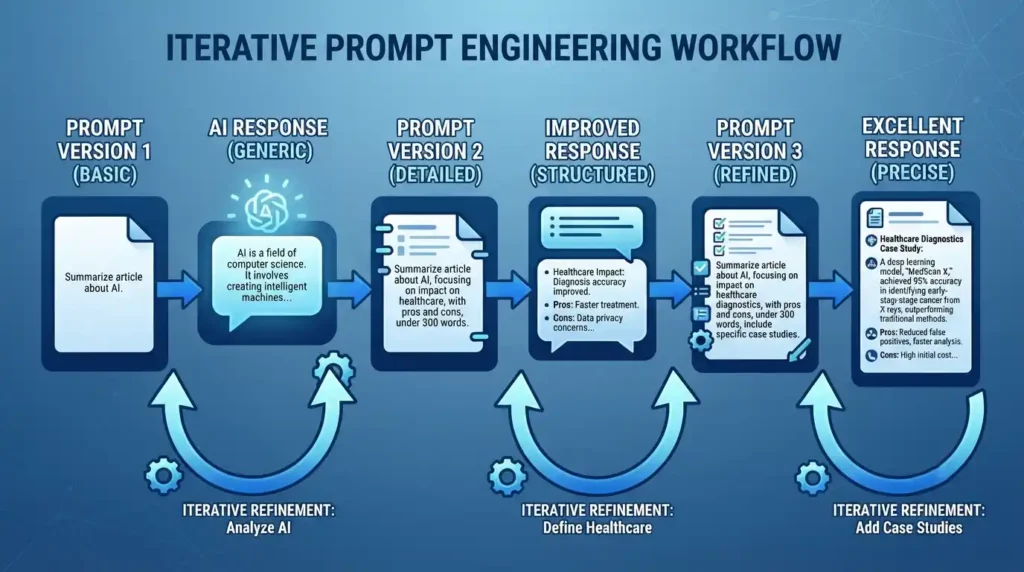
Nobody nails a prompt on the first try every time, and treating that first attempt like it has to be perfect is where a lot of people give up too early. Prompting is closer to a conversation than a vending machine transaction, you put something in and adjust based on what comes back out.
Get a response that’s too long and too stiff, and the fix isn’t starting over from scratch, it’s just saying so directly: cut it to three sentences, drop the formal tone. I keep a running note of small phrasings that worked well for me, so I’m not reinventing them every single time. A rewrite isn’t a sign the first prompt failed. It’s just part of how the good ones get made.
AI Prompt Examples You Can Copy Right Now

Seeing an actual AI prompt example usually clicks faster than reading about the rules in the abstract, so here’s one for each of the five above, close enough to copy as-is.
Skip “review my resume” and go with something closer to this: “Review my resume for a marketing manager role and suggest three specific changes to strengthen my experience section.” That’s rule one. Context works the same way, just laid out the way you’d actually explain it to a friend instead of typing it into a search bar: “I’m a nurse with eight years of experience considering a move into healthcare tech. I want more remote work and better pay but don’t want to lose my clinical skills, what should I weigh before deciding?”
Rule three, showing instead of telling, usually means handing over an actual sample: “Write product descriptions in this style: soft enough for daily wear, tough enough for daily life. Match that same rhythm for the next three products.” Format is the easiest of the five to get right, since something as plain as “summarize this report in five bullet points, each under 20 words, with the most important finding listed first” beats three paragraphs of instructions every time.
And when the answer misses the mark, the fix is rarely starting over, just saying the obvious part out loud: “this answer is too long and too formal, cut it to three sentences and make it casual.” Worth keeping a couple of these AI prompt examples somewhere handy, since swapping in your own details takes a fraction of the time that starting from a blank page does.
A Simple Framework You Can Fall Back On
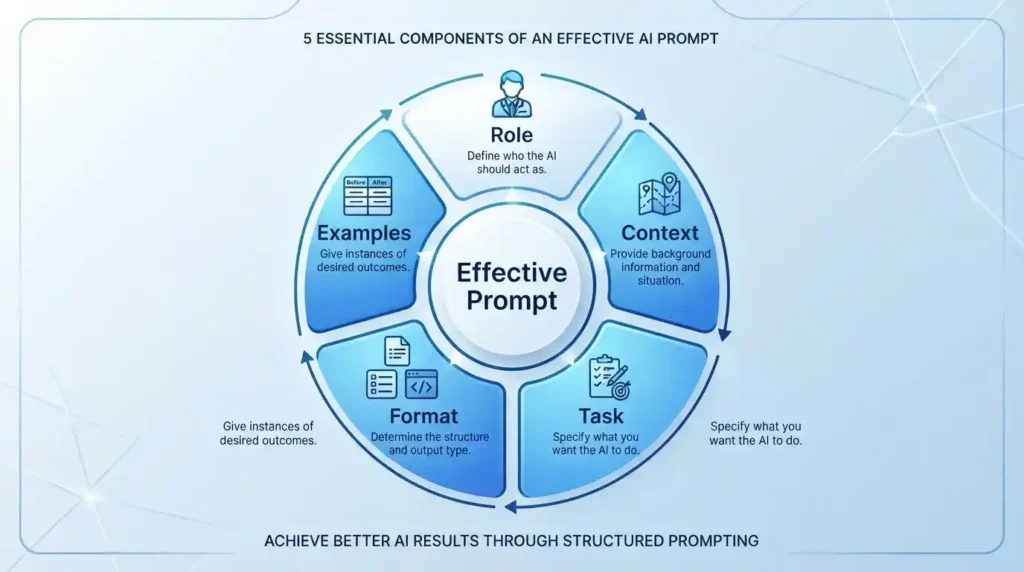
When a prompt isn’t landing, it usually helps to run through five checkpoints: who should the AI act as (its role), what does it need to know about your situation (context), what do you actually want done (the task), how should the answer look (format), and is there an example that would save you a paragraph of explaining. You won’t need all five every time, but when something’s off, walking through that list will usually show you which piece is missing.
A quick version of that in action might look like: “Act as a certified financial planner. I’m 28, self-employed, and just started saving for retirement. Explain the difference between a Roth IRA and a traditional IRA in a short comparison table, and keep the language as plain as ‘a Roth is taxed now, a traditional is taxed later.'” That’s all five checkpoints in one prompt, and notice none of it required special syntax or jargon, just information the model needed and didn’t have yet.
It’s also worth skimming a platform’s own documentation once in a while, since each model has its own quirks. OpenAI publishes a prompt engineering guide for ChatGPT and its API. Anthropic has a prompt engineering overview for Claude, along with a free interactive tutorial if you want to practice hands-on. Google put together a long prompt engineering whitepaper built around Gemini. None of it’s required reading, but it’s worth a look once the basics stop feeling new.

Common Prompt Writing Mistakes
Cramming three requests into one prompt is a habit worth breaking early. Ask for research, writing, and formatting all in a single line, and you’ll usually get a half-effort at all three instead of a solid effort at one.
A few other patterns worth watching for:
- Never mentioning who the answer is for. A prompt written for beginners should read nothing like one written for an expert, so say which one you mean.
- Assuming the model remembers what you said five messages ago. In a long conversation, repeat the important details instead of trusting they carried over.
- Skipping the format instruction entirely, which happens to be the easiest fix on this whole list and also the one people forget most.
- Quitting after one mediocre answer. That first response is a starting point, not the final word on what the tool can do.
FAQ: Quick Answers to Common Questions
What are the five elements of a good prompt? Role, context, task, format, and examples. Not every prompt needs all five, but the more you include, the less guessing the model has to do on your behalf.
Why does AI give bad answers sometimes? Usually the prompt was too vague, was missing context, or never specified what a good answer would even look like, so the model filled in those blanks with its best guess. That guess doesn’t always match what you had in mind, which is where a lot of the frustration comes from.
How detailed should my prompts be? Detailed enough that a stranger with zero background on your situation could still understand exactly what you’re asking for. That’s usually two to four sentences, not two to four words.
Conclusion
None of this requires memorizing a hidden trick or learning to talk to AI in some special code. Be specific, give context, show what you want instead of just describing it, decide the format ahead of time, and treat your first attempt as something you’re allowed to rewrite. Pick one prompt you’re about to type today and run it through these five rules before you hit enter. Chances are you’ll notice the difference in the very first response.
 TechPro Master