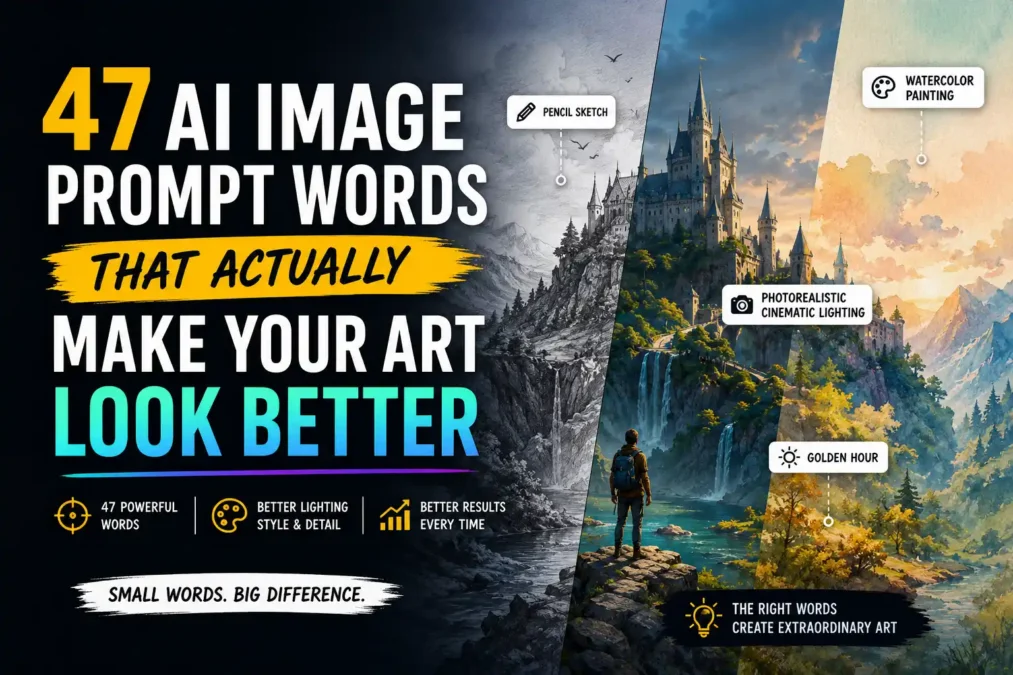

You type a decent description into an AI image generator, hit enter, and the picture comes back… fine. Not bad, not great, just kind of flat, the way every third AI image on your feed looks flat. Your idea probably wasn’t the problem. What’s usually missing is a handful of specific AI image prompt words that tell the model exactly how to light, frame, and texture the thing you’re picturing.
I’ve spent way too many hours testing which words actually move the needle and which ones are just noise. In this guide, I’m giving you all 47 of the ones that work, sorted by what they control, with before-and-after examples so you can see the difference instead of just taking my word for it. None of these require a paid plugin, a special model, or any prompting experience. They’re just AI image prompt words you type straight into whatever tool you’re already using.
Why Some Prompt Words Work and Others Just Sit There
An AI image model doesn’t understand your subject the way you do. It’s learned statistical patterns between billions of image-caption pairs, so when you type a word, it’s pulling toward whatever pixels that word was most often paired with in training. Vague words got paired with everything, so they pull toward an average. Specific words got paired with a narrower, more consistent set of images, so they pull harder in one direction.
Think of it like giving directions to a cab driver. “Take me somewhere nice for dinner” gets you an average, forgettable result. “Turn left at the gas station, third building past the church” gets you exactly where you meant to go. AI image prompt words work the same way: the more specific the word, the more precisely it steers the output.
If you want the full breakdown of how a prompt is built from the ground up, subject, context, style, and everything in between, I covered that in Prompt Anatomy: The 6 Parts Every Good AI Prompt Needs. This guide zooms in on just the vocabulary, the actual words that pull an image toward something sharper and more intentional.
The 47 AI Image Prompt Words, Sorted by What They Control
These are grouped by the part of the image each word actually affects. You don’t need all of them in one prompt. Pick one or two from each category that fits what you’re picturing, and skip the rest.
Words That Set the Scene (6)
These control how much environment surrounds your subject, and how busy or calm that environment feels.
- Environmental — places your subject inside a full setting instead of a blank background, so the model adds context like weather, ground texture, and background depth.
- Isolated on white — the opposite move: strips the background out entirely, useful for product shots or icons.
- Candid — pushes the pose toward something caught mid-moment instead of stiffly posed, good for portraits.
- Bustling — signals a busy, crowded scene, useful for street or market scenes.
- Serene — the calm end of that same dial, good for landscapes or quiet portraits.
- Cluttered — layered detail and mess, useful for lived-in interiors or workshops.
Bad: “a street” Better: “a bustling street market at dusk, candid, environmental”
The first prompt could return almost anything. The second tells the model there’s a crowd, that it’s evening, and that the shot should feel caught in the moment rather than staged. These scene-setting AI image prompt words earn their keep when your subject is fine but the backdrop feels like an afterthought.
Style and Medium Words (7)
These decide whether your image reads as a photo, a painting, or something else entirely, and this is usually the single biggest lever you can pull.
- Watercolor painting — soft edges, bleeding color, visible paper texture.
- Oil painting — thick brushstrokes, rich color blending, a classic painterly look.
- Digital illustration — clean linework with flat or gradient shading, common in modern concept art.
- 3D render — smooth, dimensional surfaces, closer to a video game or animated film than a photo.
- Photorealistic — pushes the model toward camera-like detail instead of illustration.
- Anime style — flattened shading, large expressive eyes, distinct linework.
- Pencil sketch — visible graphite lines, cross-hatching, unfinished edges.
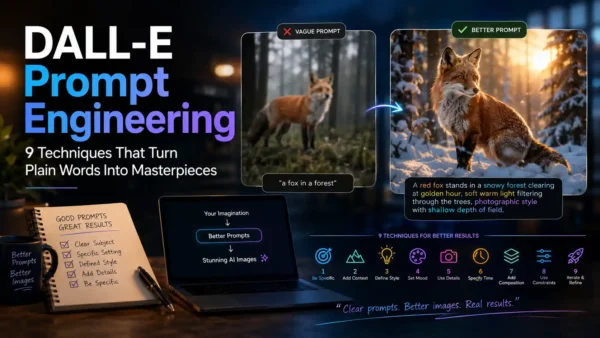
Bad: “a fox in a forest” Better: “a fox in a forest, watercolor painting”
Same subject, same setting, completely different image. This is the word that decides whether you get something that looks like a photo or something that looks like art. Of all the AI image prompt words on this list, the style word is usually the one I’d tell someone to change first if they only have time to fix one thing.
Lighting Words (7)
Lighting does more for a mediocre prompt than almost anything else on this list, and it’s the category most people skip entirely.
- Golden hour — warm, low-angle sunlight with long soft shadows.
- Cinematic lighting — dramatic, directional light with strong contrast, like a movie still.
- Soft diffused light — even, gentle light with barely-there shadows, flattering for portraits.
- Backlit — the light source sits behind the subject, creating a glowing outline or silhouette.
- Volumetric lighting — visible light beams or fog, adds atmosphere and depth.
- Studio lighting — clean, controlled light like a photo studio, minimal shadows.
- Rim light — a thin highlight along the subject’s edge that separates it from the background.
Bad: “a portrait of a woman” Better: “a portrait of a woman, golden hour, rim light”
Nothing about the subject changed here. Only the light did, and the image goes from a flat headshot to something that looks like it belongs in a magazine.
Camera and Composition Words (6)
These control where the “camera” sits relative to your subject, which matters even though there’s no real camera involved.
- Close-up — fills the frame with the subject’s face or a specific detail.
- Wide-angle — pulls back to show more of the scene and surroundings.
- Aerial view — looks down from above, good for landscapes or crowds.
- Shallow depth of field — sharp subject, blurred background, common in portrait photography.
- Low angle — the camera looks up at the subject, making it feel larger or more powerful.
- Rule of thirds — nudges the model to place the subject off-center for a more balanced composition.
Bad: “a mountain” Better: “a mountain, aerial view, wide-angle, shallow depth of field on the foreground trees”
Camera-position AI image prompt words are especially useful for landscapes and product shots, where the angle you’d naturally think about with a real camera still applies.
Color and Mood Words (6)
These set the emotional temperature of the image without touching the subject or the setting.
- Pastel palette — soft, muted colors like light pink, mint, and lavender.
- Moody — darker tones and heavier shadows, an emotional, brooding feel.
- Vibrant — saturated, high-energy color.
- Monochrome — a single color family, often black and white.
- Warm tones — oranges, reds, and yellows dominate, feels cozy or nostalgic.
- Ethereal — a soft glow and light color palette, dreamlike.
Bad: “a girl standing in a field” Better: “a girl standing in a field, warm tones, ethereal, soft glow”
Mood-based AI image prompt words tend to work even when you’re not sure exactly what “better” would look like. They give the model an emotional target instead of a technical one, which is often easier to describe than lighting or composition.
Texture and Material Words (6)
These are the ones people forget most often, and they’re often what separates an image that looks generated from one that looks tangible.
- Rough canvas texture — visible weave and grain, common in painted styles.
- Glossy — a shiny, reflective surface.
- Matte — flat, non-reflective, a softer look.
- Weathered — worn, aged, cracked, or faded.
- Velvet — soft, deep, light-absorbing texture, often used for fabric.
- Film grain — subtle noise that mimics analog photography and removes that too-clean digital look.
Bad: “an old door” Better: “a weathered wooden door with peeling paint, film grain”
Detail and Quality Words (5)
These are the words most people already know, but they only work if you also give the model a real subject, style, and setting to attach the detail to.
- Hyperrealistic — pushes toward extreme, almost uncomfortable levels of detail.
- Intricate detail — fine, layered detail across the whole image, not just the subject.
- Sharp focus — crisp edges and clarity, especially on the main subject.
- Fine detail — smaller-scale precision, good for textures like hair, fabric, or fur.
- Ultra-detailed — a broader quality booster, usable across styles rather than only photos.
Bad: “a wolf” Better: “a wolf, intricate detail, fine detail on the fur, sharp focus”
Words to Avoid: Negative Prompt Terms (4)
Some tools, including Midjourney and Stable Diffusion, let you list words you don’t want in a separate negative prompt field. Midjourney’s own documentation on how this works is worth a look if you use it regularly: Midjourney’s Prompt Basics guide.
- Blurry — tells the model to actively avoid soft, out-of-focus results.
- Watermark — reduces the chance of stray text or logos showing up, a common training-data artifact.
- Extra fingers — targets a well-known weak spot in AI-generated hands.
- Distorted — a catch-all for warped anatomy, objects, or perspective.
Not every tool has a separate negative field. OpenAI’s GPT Image models read plain sentences instead, so you fold the constraint into your main AI image prompt words rather than listing them separately, something like “keep the hands anatomically correct, no visible watermark.” OpenAI walks through how their models handle instructions like this in their image generation guide.
Do These Words Work the Same on Every Platform?
Mostly, but not perfectly. Midjourney, Stable Diffusion, and OpenAI’s GPT Image models were all trained on different slices of the internet, weighted differently, and tuned by different teams with different priorities. A word that reliably pulls a strong result out of one tool might barely register in another.
In practice, the categories on this list transfer well across platforms: style, lighting, and composition words behave fairly consistently no matter which tool you’re using, since they describe things that show up the same way in photography and art regardless of who made the caption data. Where you’ll see more drift is in the more niche, jargon-heavy AI image prompt words, the kind you’d find in ZSky’s or BudgetPixel’s longer technical lists, things like “impasto” or “subsurface scattering.” Those can work beautifully in one model and get quietly ignored in another. That’s part of why this list sticks to plain, widely recognized vocabulary instead of leaning on terms only working artists and photographers already know.
If you’re working specifically in Midjourney, its own documentation on how the model interprets prompt structure is worth bookmarking: Midjourney’s Art of Prompting guide. If you’re on Stable Diffusion, Stability AI keeps its own prompting guidance at stability.ai/guides. And if you’re generating images through ChatGPT, OpenAI’s guide covers how GPT Image models read instructions differently from the older DALL-E models: openai.com/academy/image-generation.
How to Combine These Words Without Confusing the Model
Once you’ve got a list of 47 words in front of you, the temptation is to use as many as possible. Don’t. Stacking three lighting words or five mood words in one prompt gives the model competing signals, and it tends to average them out into something muddier than if you’d picked just one.
The better approach: pick one word per category, not five words from one category. A subject, a style, a lighting word, a mood word, and maybe a texture word is usually plenty. Here’s what that looks like stacked together:
“A red fox in an autumn forest, watercolor painting, golden hour, warm tones, fine detail on the fur”
Walk through what each piece is doing: the subject is specific (a red fox, not “an animal”), the style word decides it’s a painting and not a photo, the lighting word sets the time of day, the mood word reinforces the color palette, and the detail word tells the model where to spend its rendering effort. Five words, five distinct jobs, no overlap.
Here’s the same principle applied to a completely different subject, a product shot instead of a painting:
“A ceramic coffee mug on a wooden table, studio lighting, close-up, matte texture, shallow depth of field”
Notice the pattern holds even though the subject, style, and mood are nothing alike. Subject first, then one lighting word, one framing word, one texture word. No synonyms, no conflicting styles, no more than one descriptor doing the same job twice.
Once combining AI image prompt words like this feels natural, the next step is layering in more advanced control, things like reference images, iterative refinement, and multi-step prompting. I go through nine techniques for that in Advanced Prompting Techniques in AI (9 That Work).
Common Mistakes With AI Image Prompt Words
- Piling on synonyms. “Beautiful, gorgeous, stunning” doesn’t triple the effect. It just wastes space the model could’ve used on something that actually changes the image.
- Mixing conflicting styles. “Photorealistic anime” fights itself. Pick one lane and commit to it.
- Skipping the subject for the adjectives. Five mood words won’t fix a vague subject like “a person.” Get specific about who or what is in the frame first, then layer on the rest.
- Copy-pasting someone else’s exact word stack. A combination that worked for one subject, on one platform, doesn’t always transfer to a different subject or a different tool.
- Ignoring which model you’re using. Midjourney, Stable Diffusion, and GPT Image models each weigh the same AI image prompt words a little differently, as covered above, so a stack that works great in one tool might need adjusting in another.
Quick FAQ
Do these AI image prompt words work on every AI image generator? Mostly, since most models train on similar caption data, but how strongly each word pulls varies by platform. A word like “cinematic lighting” tends to be reliable across the board; more niche art-history terms are hit or miss depending on the tool.
How many prompt words should I actually use in one prompt? Somewhere around six to ten meaningful descriptors, roughly one per category, works better than piling on everything from this list at once. More isn’t better past a certain point, it just dilutes the signal.
Do negative prompt words work the same way on every tool? No. Midjourney and Stable Diffusion typically use a separate negative prompt field. GPT Image models don’t have that field, so you write the constraint directly into your sentence instead.
Is there a “best” AI image prompt word that works for everything? Not really, and that’s kind of the point of this whole list. The right word depends entirely on what you’re trying to fix: a flat background needs an environmental word, a dull subject needs a lighting word, a too-clean look needs a texture word.
Can I use these AI image prompt words with a text-only tool like ChatGPT? Yes. When you ask ChatGPT to generate an image, it’s still sending your description to an underlying image model, so the same vocabulary applies. The main difference is that ChatGPT tends to read your request as a full sentence rather than a comma-separated list, so it can help to phrase these words inside a natural sentence instead of stacking them at the end.
Start Small
You don’t need to memorize all 47 of these before your next prompt. Bookmark this page, keep it open in a tab, and pull from it as you go. Next time an AI image comes back flat, don’t rewrite the whole thing from scratch. Pick two or three AI image prompt words from this list, one for lighting, one for style, one for texture, and swap them into what you already had. That’s usually the entire fix.
The bigger shift is in how you think about prompting in general. Instead of writing longer descriptions, get more specific with fewer words. A five-word prompt built from the right AI image prompt words will consistently beat a fifty-word paragraph of vague adjectives, because every word is doing a distinct job instead of competing for the model’s attention.
If you want more ready-to-use material to pull from, the AI Prompt Library for Writers, Coders and Teachers has 30 more copy-paste prompts you can borrow ideas from, even if most of them are built for text rather than images.
 TechPro Master