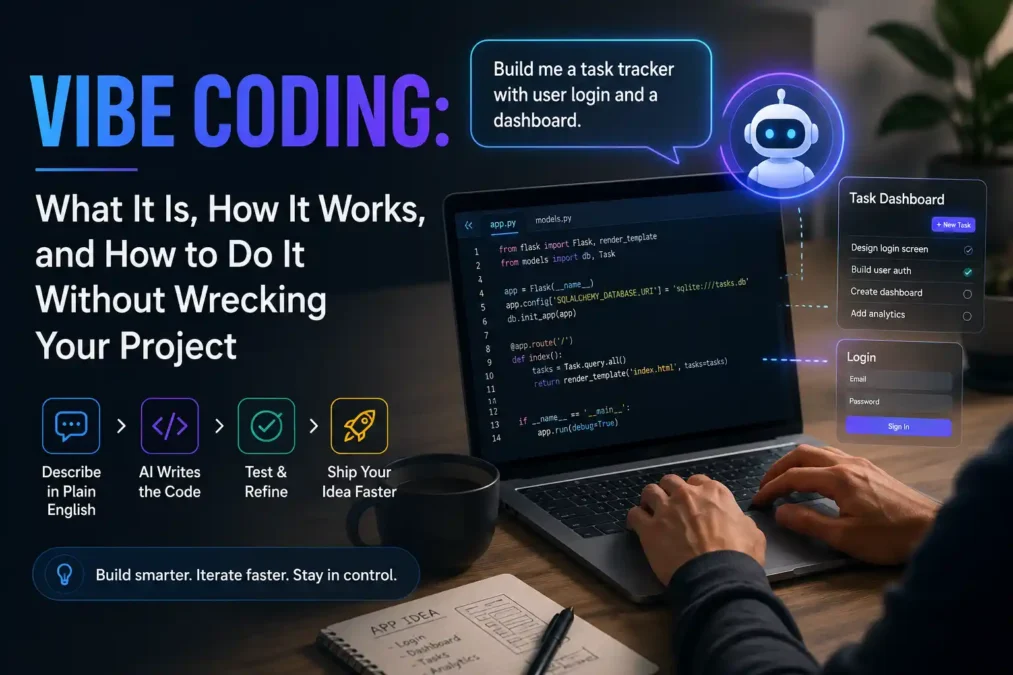

Ever watched someone build a working app just by typing out what they want in plain English, no semicolons, no syntax errors, just a back-and-forth conversation with an AI that spits out real code? That’s vibe coding, and it’s the reason millions of people who’ve never opened a code editor are now shipping real software. In this guide, I’ll walk you through what vibe coding really means, how it works day to day, which tools people actually use, and the mistakes that turn a fun prompting session into a broken app by Friday afternoon. By the end, you’ll know exactly where this approach helps you, and where it can quietly get you into trouble.
What Is Vibe Coding?
Vibe coding is a way of building software where you describe what you want in everyday language, and an AI tool writes the actual code for you. Instead of typing out functions and loops yourself, you type something like “build me a login page with email and password,” and you let the AI handle the syntax. You still guide the process and still test what comes out, you just aren’t writing every line by hand anymore.
The term comes from Andrej Karpathy, a well-known AI researcher and a founding member of OpenAI. In February 2025, he posted a short, off-the-cuff tweet describing how he’d been building small projects by, in his words, “fully give in to the vibes.” He’d talk to an AI coding tool, accept what it gave him, paste errors back in when things broke, and keep moving without reading every line it changed. The post blew up, and within a year, Collins Dictionary had named vibe coding its Word of the Year.
Here’s a simple way to picture it: traditional coding is like following a recipe and measuring every ingredient yourself. This approach is more like telling a chef what meal you’re craving and trusting them to handle the rest. You still get to taste it and ask for changes, you’re just not the one holding the knife.
Karpathy’s original definition was built for someone who already understands code deeply enough to catch a mistake without reading every line themselves. Most people using the term today don’t have that safety net, and that gap is exactly where a lot of the debate around this practice starts. This guide gets into that a little later.
How Does Vibe Coding Actually Work?
The workflow behind it is simpler than most people expect, and it follows roughly the same loop no matter which tool you’re using:
- You describe the outcome. You tell the AI what you want in plain language, something like “create a task tracker where users can add, check off, and delete tasks.”
- The AI generates the code. It writes the files, sets up the structure, and often shows you a live preview so you can see the result right away.
- You test what it built. You click around, try the features, and notice what actually works versus what only looks like it works.
- You describe the fix. If something’s broken or missing, you explain the problem again in plain language, and the AI revises the code instead of you digging through it yourself.
You repeat that loop, sometimes for a few minutes, sometimes for hours, until the app does what you actually need. Tools like Replit, Lovable, and Bolt.new package this entire loop into one browser tab, so you never even see the raw code unless you go looking for it. Others, like Cursor and Claude Code, sit inside a real development environment, which gives experienced developers more control while still letting them work mostly through natural language.
Vibe Coding vs Traditional Coding
It helps to see the two approaches side by side:
| Traditional Coding | Vibe Coding | |
|---|---|---|
| Primary input | Precise code, written by hand | Natural language prompts |
| Skill needed | Knowledge of syntax and languages | Ability to describe what you want clearly |
| Speed | Slower, methodical | Fast, especially for prototypes |
| Who can do it | Trained developers | Developers and non-developers alike |
| Error handling | You debug the code yourself | You describe the bug and let the AI attempt a fix |
| Best suited for | Production systems, complex logic | Prototypes, early ideas, internal tools |
Neither approach is strictly better. I’ve noticed the people who get the most out of this style of building are the ones who already know when to slow down and actually read the code the AI just handed them, instead of accepting it and moving straight on.
Popular Vibe Coding Tools Worth Knowing
If you’re picking a tool for the first time, it helps to know that these platforms generally split into two camps.
AI app builders handle everything for you, including hosting, so you don’t need any coding background at all:
- Replit: lets you go from an idea to a live, hosted app without ever leaving your browser.
- Lovable: built for founders who want a working product fast, with guided, conversational-style prompts.
- Bolt.new: great for quick UI experiments and frontend prototypes you can refine in minutes.
AI coding assistants sit inside a real development environment and suit people who already write some code:
- Cursor: an editor built on top of VS Code, popular with developers who want AI help without leaving their usual setup.
- Claude Code: a terminal-based coding agent that reads your whole codebase, shows you its plan, and waits for your approval before it touches anything.
- GitHub Copilot: one of the earliest AI pair programmers, now used by a large share of new developers within their very first week on GitHub.
For a deeper side-by-side breakdown of how these tools stack up against each other, this tool comparison is worth a look before you commit to one.
If you’ve never written a line of code, start with a guided builder like Lovable or Replit. If you already code and just want to move faster, Cursor or Claude Code will feel like a natural extension of what you’re already doing.
Why People Are Switching to Vibe Coding
The appeal isn’t hard to understand once you’ve tried it. A working prototype that used to take a small dev team weeks can now come together in an afternoon, and that speed changes who gets to build software in the first place.
Non-technical founders are one of the biggest groups benefiting from this shift. Instead of writing a spec document and waiting on a developer’s calendar, a founder can build a rough version of their idea themselves, put it in front of real users, and learn something within days instead of months. I’ve seen this described as testing five or six ideas in the time it used to take to test one, and that math genuinely changes how many real shots a founder gets.
Businesses lean on this same approach for internal tools too: a dashboard that replaces a messy spreadsheet, or a form that automates a task everyone on the team quietly hates. These aren’t glamorous products, but they save real hours every week, and building them no longer requires pulling an engineer off something more important.
Students and hobbyists benefit in a quieter way. This approach lowers the entry cost of trying an idea, so more people get to feel what it’s like to build something that works, even before they fully understand how it works underneath.
The Real Risks of Vibe Coding
Here’s the part that doesn’t make it into the excited tweets: this practice has a genuine security and quality problem, and the data backs it up.
Multiple 2026 studies found that AI-generated code carries meaningfully more security flaws than code written by a person, with some research putting that gap at nearly three times the rate of high-impact vulnerabilities. Scans of live, publicly deployed apps built this way have turned up thousands of serious issues, including exposed API keys (the secret codes an app uses to talk to other services) and passwords sitting around unprotected instead of being stored safely. One report found that roughly one in three publicly deployed AI-built apps shipped with a serious, exploitable flaw.
Part of the problem is psychological, not technical. Developers who lean heavily on AI-generated code tend to feel more confident their code is secure, even when it isn’t. That false sense of safety is arguably more dangerous than the bugs themselves, because it stops people from checking work that genuinely needs checking.
Think of it this way: a contractor who admits they’re unsure about the wiring will get someone to double-check it. A contractor who’s convinced the wiring is fine won’t bother. Careless vibe coding tends to produce that second, riskier kind of confidence.
None of this means the practice is unsafe by nature. It means the output needs the same scrutiny you’d give any code, maybe more, since nobody wrote it line by line and nobody’s memory of “why we did it this way” exists yet to catch problems later.
Common Mistakes to Avoid
Most disasters in this space trace back to a small handful of habits. Watch out for these:
- Accepting code without reading it. If you paste in a fix without understanding what changed, you won’t notice when the AI quietly deletes a file it decided was “redundant” or rewrites logic somewhere else in your app.
- Writing vague prompts. A prompt like “make a login system” leaves every security decision up to the AI, and it often skips basic protections unless you specifically ask for them.
- Skipping tests. Code that looks right in a live preview can still fail the moment a real user does something unexpected.
- Building too much before checking if anyone wants it. Speed is this approach’s biggest strength and its biggest trap, because it’s just as easy to spend a week polishing a feature nobody asked for.
- Ignoring version control. Without saving working versions along the way, one bad prompt can undo hours of progress with no way back.
Here’s a Bad Example versus a Better Example of the same request:
Bad prompt: “Add a way for users to log in.”
Better prompt: “Add an email and password login. Store passwords safely instead of as plain text, limit login attempts so people can’t keep guessing, and show a clear error message when the credentials are wrong.”
The second prompt leaves almost no room for the AI to guess, and guessing is exactly where things go wrong.
How to Vibe Code Without Wrecking Your Project
A few habits separate the people who do this well from the people who end up with a mess:
- Plan before you prompt. Even a rough outline of what you’re building, and in what order, helps the AI make better decisions from the first response.
- Review every change like a pull request. Read it, run it, and only move on once you understand what changed and why, the same way you’d review a junior developer’s work.
- Test in small steps. Build one feature, confirm it works, then move to the next, instead of asking for an entire app in one giant prompt.
- Treat every AI-generated fix as a hypothesis. Apply it, test it, and confirm the actual problem is solved instead of just the symptom you described.
- Start a fresh session for a new task. Long conversations can drag old context into new problems, so a clean start often produces cleaner results.
I’d suggest treating the AI like a fast, capable collaborator who’s completely literal. It’ll do exactly what you ask, not what you meant, so the more precise your prompt, the fewer surprises you’ll get.
Vibe Coding vs Agentic Engineering: What Comes Next
Karpathy himself has since moved past the term he coined. He now talks about “agentic engineering,” a more structured approach where AI agents plan, write, test, and iterate on code with far less hand-holding, while the human developer focuses on architecture, quality standards, and security review instead of every implementation detail.
The difference matters because it changes what skill actually becomes valuable. In the pure prompt-and-approve version of this practice, your job is mostly to describe and approve. In agentic engineering, your job shifts toward judgment: deciding what “good” looks like, catching what the AI got wrong, and making the calls an AI genuinely can’t make on its own. Most researchers studying this shift agree that lightweight, prompt-driven building works best for prototypes, learning, and early-stage ideas, while more autonomous, agent-driven workflows suit production systems that need to survive real users and real scale.
Vibe Coding by the Numbers
A few data points show just how fast this shift happened. Developer surveys from 2025 and 2026 put AI coding tool adoption somewhere between 84% and 92%, depending on the region and how the question gets asked, up from under 45% just two years earlier. At the same time, trust in AI-generated code has dropped, with some surveys showing only around 29% of developers fully trust the code these tools produce. Roughly seven in ten professional developers say fully hands-off, prompt-only building still isn’t part of their actual job, which tells you something important: near-universal AI assistance and the hands-off version of this practice are two very different things, even though headlines often blur them together.
Frequently Asked Questions
Is vibe coding the same as using GitHub Copilot? Not exactly. Copilot-style tools suggest code as you type, while this approach usually means describing an entire feature or app and letting the AI generate it end to end. Copilot can be part of that workflow, but it isn’t the whole picture.
Do I need to know how to code to try vibe coding? No. Tools like Lovable, Replit, and Bolt.new are built specifically for people with no coding background at all. That said, even a little understanding of how apps work will help you catch problems faster.
Is vibe coding safe for a real business? It’s safe for prototypes, internal tools, and early testing. For anything handling payments, personal data, or sensitive information, get a developer to review the code before it goes anywhere near production.
What’s the difference between vibe coding and agentic engineering? Vibe coding is mostly you describing and approving. Agentic engineering hands more of the planning and iteration to the AI, while you focus on reviewing quality, architecture, and security instead of every small step.
Conclusion
This practice has genuinely changed who gets to build software, and that part is worth celebrating. A founder, a teacher, or a curious hobbyist can now turn an idea into something real without waiting on anyone else’s calendar. But the same speed that makes it exciting is what makes it risky if you skip the reviewing, the testing, and the small habits that catch problems early. Start small, pick a tool that matches where you’re at, and treat every piece of AI-generated code the way you’d treat a first draft: promising, useful, and not quite ready to ship until you’ve actually checked it yourself.
 TechPro Master